Ask Git
Natural language search for your git history. Find the source of any bug by asking, not grepping.
For developers running multiple AI coding threads
Run CLI agents across projects — without losing context.
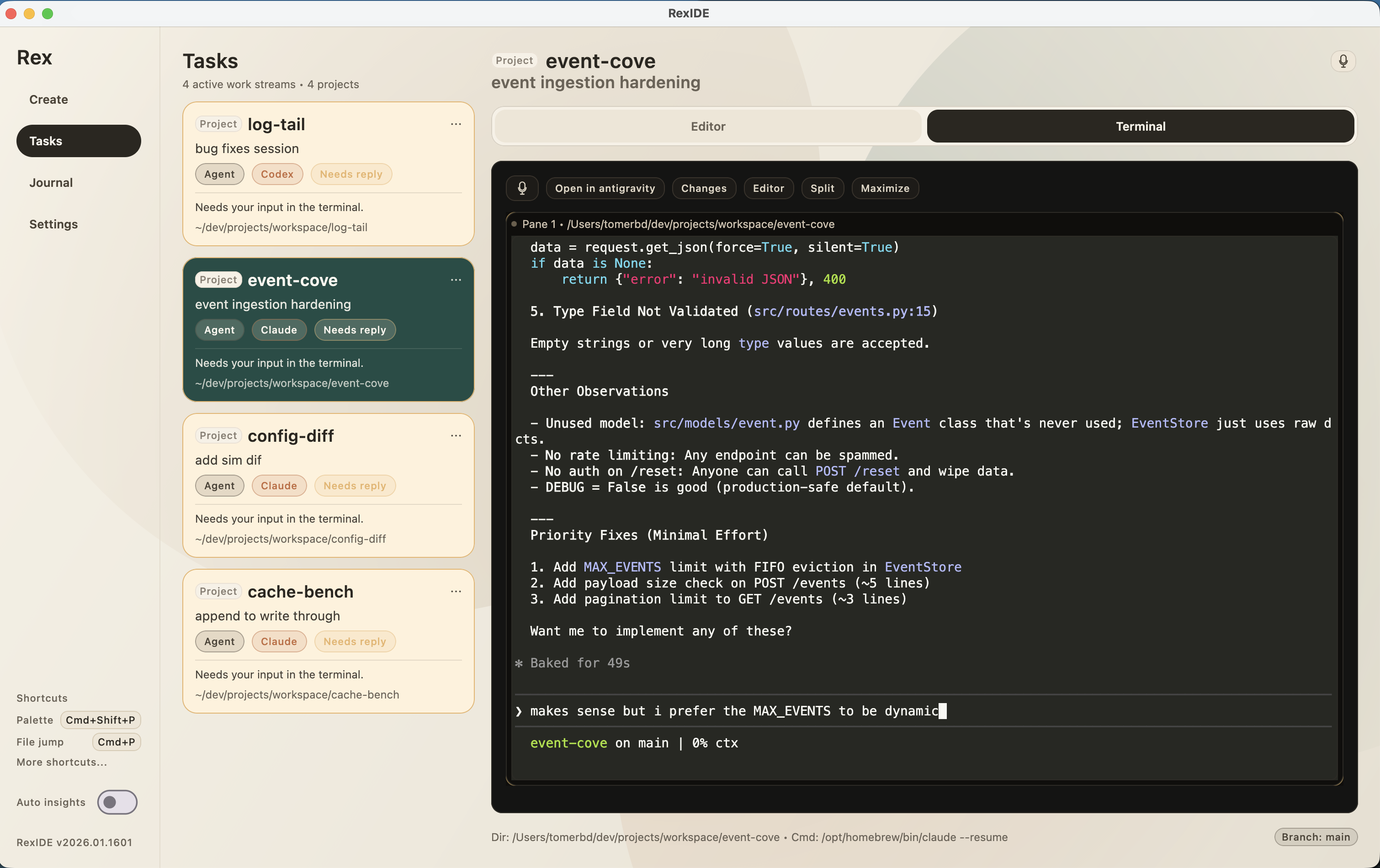
RexIDE is where your agents live. Switch projects, resume sessions, and review what changed across every repo.
Natural language search for your git history. Find the source of any bug by asking, not grepping.
Orchestrate agents and switch projects hands-free using high-performance local Whisper models.
Highlight any code hunk to get an instant AI explanation of the logic before you hit ship.
Your terminal chaos is automatically 'tidied' into professional daily reports and summaries.
Automated background checks that spot architectural drifts and subtle bugs once a day.
Every push is a win. Get a summary of your achievements and celebrate with a victory vibe.
Building on legacy IDEs misses the point of the agent era.
Orchestrate, don't just type. Legacy IDEs are incredible editors, but they aren't built for high-speed agent orchestration. RexIDE is for when you're managing parallel execution.
The CLI is the Engine. Standard terminals are powerful but blind to your goals. RexIDE wraps them in a persistent workspace that remembers your session state and agent intent.
Visibility over Magic. Black-box AI UIs hide the execution. We keep raw terminals front-and-center so you can see the engine running, with the safety of interpreted review.
RexIDE sits between them, not a replacement.
Standard terminals aren't project-aware. RexIDE wraps them in a workspace that manages tasks, diffs, and project switching natively.
Executing agents in isolation is messy. RexIDE provides the UI to orchestrate multiple agents across folders simultaneously.
IDEs are for deep editing. RexIDE is for high-level execution, review, and shipping. It's the command deck for your projects.
Boards are disconnected from code. RexIDE builds your journals and daily tasks directly from your git and terminal history.
Use RexIDE when you are doing AI-assisted terminal work.
01
Launch a mission via voice or shortcut. RexIDE handles the folders and agents while you focus on the director-level decisions.
02
Verify changes with AI hunk explanations. If something feels off, use 'Ask Git' to reconcile it against historical context instantly.
03
Convert your terminal history into a clean daily journal, push your wins, and enter the 'Vibe' zone once the code is live.
You use AI agents daily, work across multiple repos, and care about review before shipping.
You only work in one repo, rarely use agents, or want an all-in-one IDE replacement.
It's a conversational layer over your repository. Instead of grepping through history, you ask the AI natural language questions to find and interpret commits.
RexIDE uses high-performance local Whisper models. You can dictate goals and commands privately, which are transcribed instantly for your agents.
It includes a high-performance minimal editor designed for the 'Review & Ship' loop—fast tweaks, diff verification, and context-aware editing.
RexIDE supports both cloud-based agents and local models (like Gemma or Whisper) for private, on-device insights and bug hunting.
RexIDE ships as a signed macOS preview build. Founding users get free access during the preview period.
macOS preview
Preview build. Signed and notarized.
Windows: coming soon
Get an email when it's ready.